
Jail Roster access begins with the Lucas County online portal, where users can enter a name, booking number, or inmate ID to retrieve current custody status, facility assignment, and charge details. The system updates multiple times daily, showing intake timestamps, bail amounts, and transfer notes. Because the roster is public, it excludes juvenile files and sealed records, helping families and attorneys verify arrest records quickly.
Jail Roster listings also include release dates, bond conditions, and any pending court appearances, allowing users to track recently released inmates or those pending transfer. For records not appearing online, the Corrections Center offers offline request forms and verification services during regular office hours. Understanding these nuances reduces confusion when a newly booked inmate seems missing or when a released person remains on the roster longer than expected.
How to Search Jail Roster
A jail roster search matches a person’s name or booking identifiers with the latest public custody listing published by the Lucas County Sheriff’s Office. It helps families, attorneys, and other authorized users confirm whether a booking appears in the system and review the reported status accessible through official current inmates records and housing assignment, charges, bond, and related entries The result shows one published point in time and does not promise that a person remains in custody after the page updates. Compare each field with the booking details you already have before acting on the entry.
Official Search Portal: https://lucascountysheriff.org/corrections/corrections-center
Steps to Search
- Open the official Corrections Center page and use its inmate roster or inmate lookup function.
- Search with the person’s full legal name. Include a middle name or suffix only when the form permits it.
- Use a booking number or inmate ID when one is available; either term gives you a more exact match than a name alone.
- Review each match and compare the booking timestamp, charge entries, bond amount, custody status, facility assignment, and any court date shown.
- If no match appears, check the spelling and identifiers, then use the booking inquiry contact listed at the end for verification or an off-line record request.
Intake Details & Custody Status
A booking marks the intake event and creates a reference used for later custody changes. A search result is easier to read when each entry is treated as a separate fact. This table shows the main fields and the practical purpose of each one.
Booking Timestamps, Agency & Arrest Logs
The booking timestamp marks jail processing time, which can differ from the time of arrest. An agency field ties the booking to the police agency connected with that event. A separate arrest log may hold earlier event details, so the two records should not be treated as the same log.
For a recent booking, note the displayed date, time, agency, booking number, and inmate ID. Compare those values with the arrest citation, court paper, or notice you received. Any mismatch in a key identifier should be checked with the booking office before the record is shared or used.
The agency field identifies the custody source shown on the roster. It does not identify the court handling every case connected with the booking. A person may be booked following an arrest, a court appearance, or another legal process, and the arrest record can contain event details that the booking entry leaves out.
Offense Charges, Bail & Bond Amounts
Charge lines show why the jail listed a person for detention at that point. They can reflect alleged offenses or court-ordered custody connected to a case, not a conviction or final sentence. A roster does not decide guilt or the outcome of a case.
A listed bond amount is the amount recorded for that booking. It does not by itself show that the bond was posted, who paid it, or whether release conditions were met. Any bond conditions shown are release restrictions tied to that entry, not the full wording of a court order. For a legal question about bond or case status, use the case record maintained by the court handling the matter.
Charge wording can change during a case, so an older roster may show older language. Compare the charge text with the newest paper record you have and note the date attached to each version. This prevents a charge listed at booking from being mistaken for the court’s later decision.
Active Custody, Transfer & Release Status
The status line is the main field for deciding whether the roster treats the person as held, transferred, or released. A transfer changes the housing location but does not create a new jail booking. Use the booking number as the event reference, then check the inmate ID and status in the newer entry.
A release entry records a custody change; it does not mean the charges were dismissed. Custody status and court case status are separate. A status timestamp states when the system recorded the event and does not predict how long that status will last.
Detention Center & Facility Assignments
A facility assignment identifies the jail location assigned to the person. The agency that made the arrest or booking can differ from the agency responsible for housing. A transfer can also change the assignment after the first posting. If you need to confirm a delivery, visit, or housing request, ask the Corrections Center for its current rules. The roster itself does not set visiting hours, release procedures, or commissary rules.
Public Availability & File Disclosure
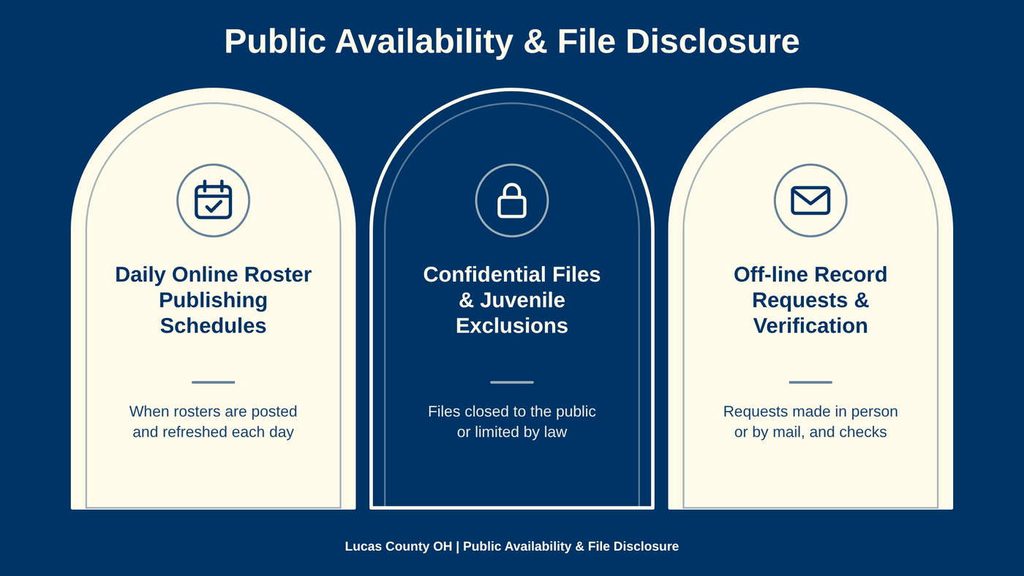
Public availability does not mean every record can be seen online. The roster offers a limited public view of custody entries, and restricted files, sealed records, and juvenile records stay outside that view. Update timing can also affect what a search returns.
Daily Online Roster Publishing Schedules
The official Corrections Center description states that the online roster updates multiple times daily. No guaranteed posting time appears for each new booking, so a person booked after the latest posting may not appear until a later cycle.
For a time-sensitive check, note the date and time of the search and the timestamp on each result. If the intake time is close to the latest update, wait for a later posting before treating an absent name as settled. A newer result can carry a more recent status than an earlier page you viewed.
The update cycle does not prove that every field within an entry appeared at the same moment. Intake, bond, facility, and court details may enter the record at different stages. Compare the timestamps and use the status field that reflects the latest published change.
Confidential Files & Juvenile Exclusions
Juvenile files and sealed records are excluded from the public roster. That rule can explain why a search returns no match even though an arrest or custody event occurred. A missing name is not proof that no record exists. Do not treat the roster as a way to bypass a privacy limit. If a record matters for a legal, family, or safety purpose, request it through the official Corrections Center process and provide enough identifiers for staff to match the right booking.
The public roster should not be treated as a complete index of every booking handled by the Corrections Center. Sealed entries, juvenile files, processing delays, and records outside the public view can all affect the results.
Off-line Record Requests & Verification
The Corrections Center offers off-line request forms and verification services for needs that the public roster does not cover. Office hours apply to these services. State whether you need a custody-status check, booking details, or a copy of a booking report so staff can direct the request correctly.
Items that can make a request easier to match include:
- The person’s full legal name and any alternate spelling used on official papers
- A booking number, inmate ID, or booking date and time
- The booking agency or housing facility, if known
- A court case number, if one appears on a paper record
- The type of record needed and the purpose for which it is needed
Ask the responsible office which copy type is available and whether a fee, delivery method, or processing time applies. The roster page does not supply those terms, so written confirmation from the responsible office can prevent an incorrect order.
Record Accuracy & Resolution
Accuracy checks start with the last update and the identifiers attached to the entry. A name alone can point to more than one person, while a booking number or inmate ID can show that a listing is stale or attached to a different record. The steps below separate common symptoms from practical responses.
System Delays for Recent Intakes
Intake and online posting are separate steps. The roster updates multiple times daily, yet no fixed delay from booking to posting is stated in the official material. A new booking can therefore be absent for a period without indicating a release or an error.
Post-Release Listing Removal Timelines
A person released after the last posting can remain listed until a later refresh. No fixed removal deadline appears in the official material. Read the release date and status rather than assuming that continued listing equals continued custody, and seek a current status check when the stakes are high.
Unlisted Inmate Roster Resolution
When a known booking number returns no result, compare every character with the source document and check whether a middle initial or suffix was omitted from the name. Search once with the booking number and once with the full name accessible through official inmate search portals and then keep both search terms with your notes If the records still do not match, ask booking staff to check the identifier and status.
Before reporting an error, record the exact fields you saw, including the search term, booking number, inmate ID, date, time, facility, and status. A precise description gives official staff a stronger starting point than a general statement that the listing is wrong.
How Jail Roster Records Differ From Other Records
The terms jail roster, inmate roster, booking report, arrest record, jail record, and mugshot can point to different kinds of records. They may share a booking number, but each answers a different question. Selecting the right source prevents a custody snapshot from being mistaken for a full case file.
Choosing the Right Source
Use the jail roster first for a custody check, then verify a high-stakes result through the official Corrections Center. Use a booking report for intake facts and an arrest record for the arrest event. The court’s case record controls hearing dates, amended charges, plea decisions, and sentences.
A roster photo can help with a visual comparison, but it should not be the sole basis for identification. Names can be shared, and a photo can be old or linked to a booking with a changed status. A booking number, inmate ID, booking date, and agency name provide a stronger cross-check when those details are available.
If a formal filing or legal decision depends on the record, request an official copy from the agency or court that holds it. A saved roster page is useful for reference, but it carries no certified status and does not update after you save it.
Jail Population and Recent Booking Totals
A count taken from the public roster is not the same as an official jail population total. The roster changes after each posting, and some records stay outside the public view. A capture at one moment may include a person whose release has not posted or miss a booking made since the last update.
Jail Population Totals
A jail population figure needs a stated source and reporting time. Do not publish a number unless the agency confirms it and states when the count applies. The visible row count from a roster search is a capture of public entries, not a full count of every person held in custody.
A visible count may include a person whose release has not yet posted and omit a new booking that has not reached the page. Transfers also change who appears at each facility. These timing effects make a roster count useful for a dated snapshot but weak as an official population measure.
Recent Booking Totals
Use the booking timestamp, not the date of your search, to define a recent-booking period. Count each booking once and keep transfer or status changes out of the new-booking total. Recording the capture time keeps the count tied to one published version of the roster.
Keep the visible roster count and the recent-booking count separate. One measures entries shown at a given moment, while the other measures bookings created during a stated period. A change between two captures can reflect normal bookings, releases, transfers, or posting delays.
Practical Checks by Search Goal
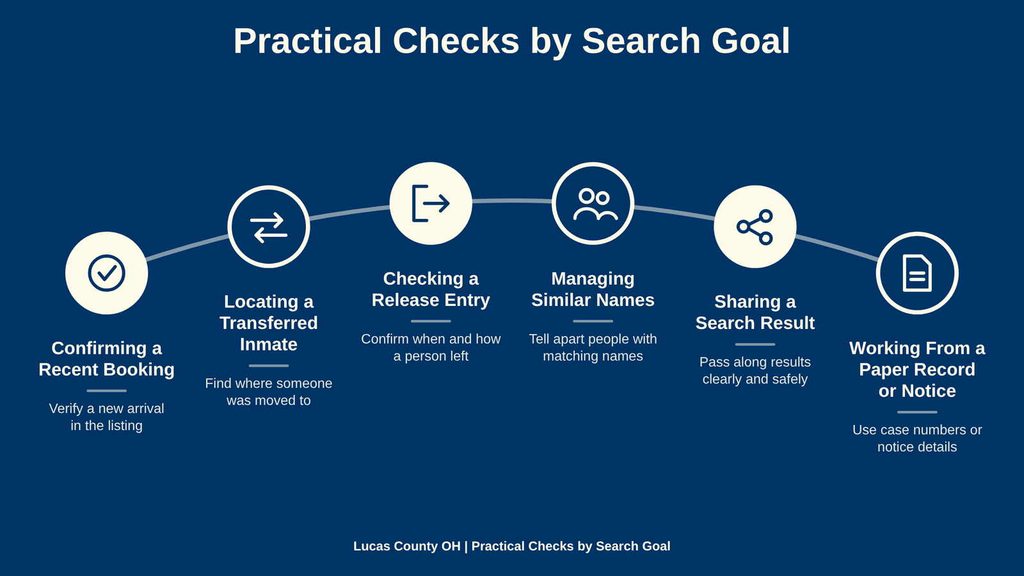
The same search can support several needs, but each goal calls for a different field check. Reading a result in the order of identifier, time, status, location, and case details helps keep one fact from being mistaken for another.
Confirming a Recent Booking
For a recent booking, compare the booking date and time, inmate ID, booking number, and agency with the person’s arrest or court paperwork. A newly posted entry may show fewer fields at first. If the name is absent after the next roster update, seek booking verification rather than publishing an unconfirmed notice.
A recent timestamp can place the intake within the correct day, but it does not confirm the result on its own. Use the agency and booking number to make sure the entry belongs to the same person. This check matters most when several bookings occurred during the same period.
Locating a Transferred Inmate
A transfer changes the facility assignment, not the person’s booking identity. Search again with the booking number or inmate ID and read the newest status and facility values. An older saved page may show the prior location, so use the most recently published entry and verify an unclear transfer through Corrections Center staff.
The transfer note describes movement within the custody process. It does not mean the charges changed, the court case ended, or the booking was removed. A searcher looking for a current location should give priority to the newest facility assignment and status.
Checking a Release Entry
A release entry shows that the custody status changed to released at the recorded time. It does not state the reason for release or the outcome of the court case. Check the release status and date, then use the official contact for a custody check when the result conflicts with another source.
A person may leave jail through a bond release, court order, transfer, or another legal process. The roster can show the custody change, while the court record explains the case decision. Keep those two record types separate when reporting what happened.
Managing Similar Names
A name search can return more than one person. Do not combine their rows or pick the first result without comparing identifiers. Use booking number, inmate ID, booking date, agency, and facility assignment to separate the records. If those values still match, ask staff to review the entries before you publish or act on a claim.
Common names and spelling variations can make visual comparison harder. A middle name, suffix, booking date, or agency can settle many matches before a request is made. When the visible details remain identical, do not guess which row belongs to the person you mean.
Sharing a Search Result
A public entry can contain personal details that were not intended for wide sharing. Quote only the fields needed for the task, avoid reposting a full mugshot, and include the date and time of the lookup. Cite the Lucas County Sheriff’s Office source rather than presenting an edited image as an official record.
A saved copy can help another person repeat the search, yet it cannot show a later release or transfer. State when the result was checked and use the live roster for the latest status. This keeps a dated reference from being mistaken for a live custody record.
Working From a Paper Record or Notice
A booking number shown on a citation, court paper, or jail notice is the best starting point. If the number produces no result, verify every digit and letter before changing the search. If the paper has only a name, add the date, agency, or another known detail. A mismatch deserves a records check rather than a guess.
Keep the paper and the online entry together when reporting a discrepancy. The date, agency, inmate ID, and charge text can show which line differs. This creates a clear record for Corrections Center staff and reduces the chance that two similar names will be mixed.
Contact Details
Use the booking inquiry line for questions tied to a booking or custody verification. Use the Corrections Center line for facility matters and the Corrections Division line for division-level questions. The office hours below apply only to the named offices.
Frequently Asked Questions
The jail roster shows who is currently held in Lucas County Corrections Center. It helps families, lawyers, and the public see booking details, charges, bond amounts, and housing units. The list updates regularly, giving a clear snapshot of inmate status. Using the online roster saves time, avoids phone calls, and provides reliable information for planning visits or legal actions.
How can I search the Lucas County jail roster by an inmate’s name?
Visit the sheriff’s website and locate the “Jail Roster” link. Enter the full or partial name in the search box, then click search. The system returns matching entries with booking number, age, charge, and custody status. Review the details to confirm the inmate’s location and bond amount. If no match appears, try alternate spellings or check later, as the roster updates several times daily.
What information does a jail roster record show for each inmate?
Each entry lists the inmate’s name, booking number, date of arrest, charges, bond amount, assigned housing unit, and current custody status. Some records also display a mugshot and projected release date. This data helps users verify identity, understand the legal situation, and plan visits or legal representation.
Can I find a Lucas County inmate using the booking number?
Yes. On the roster page, choose the “Search by Booking Number” option. Type the nine‑digit number and submit. The result shows the exact inmate record, including name, charges, bond, and facility assignment. This method avoids confusion when multiple people share similar names.
How often is the jail roster updated and why might a name be missing?
The roster refreshes every few hours from the corrections database. A name may be absent if the inmate was released, transferred, or if the booking occurred after the last update. In rare cases, technical glitches delay posting. For the most recent status, contact the inmate services office during business hours.
What steps should I take if the roster shows incorrect information?
First, note the inmate’s name and booking number. Call the inmate services line at 419‑213‑4962 to report the discrepancy. Provide the exact error and ask for confirmation. If needed, submit a written request to the corrections division at 419‑213‑4945. Keep a copy of the request for reference and follow up after 48 hours for a response.