Traffic Court Records let Ohio drivers quickly see docket numbers, hearing dates, and fine amounts for citations issued on state roads. By entering a case number or citation ID on the Lucas County online docket portal, you can pull the docket entry, view scheduled hearings, and download related court orders without a visit to the clerk’s office. This instant access helps you verify points, plan a plea, or confirm a case’s disposition before the deadline.
Traffic Court Records also include the full history of motions, continuances, and judgments, letting you track every step from the initial appearance to case closure. The public database shows whether a violation resulted in a guilty disposition, dismissal, or deferred judgment, and it flags sealed or restricted files. Understanding these details reduces surprise fines and guides you in preparing the right response or appeal.
How to Search Traffic Court Records
Lucas County traffic case dockets are court-maintained records of charges, filings, hearing events, rulings, and case status. A docket search can help a driver locate the right case accessible through official traffic ticket records databases and confirm a hearing date, read the recorded outcome, and find notices or orders posted by the court It does not replace the charging document, a certified case file, a transcript, or legal advice. Use the county’s official docket page to select the correct court and record service before searching.
Official Search Portal: https://www.lucascountyoh.gov/3707/Online-Dockets
Steps to Search
- Open the Lucas County Online Dockets page and choose the county-listed docket service for the case. General Trial Division records are provided through Justice Case Access and research OH.
- Select the correct court, jurisdiction, and case category when the service asks for them. A traffic matter may belong to a municipal court rather than the General Trial Division.
- Enter the court-assigned case number in the case-number field. Use a citation number only in a citation field offered by the service, since a traffic citation number may differ from the court case number.
- Open the matching result and compare the case number, party name, charge description, event dates, and court before reviewing the docket.
- Read the hearing and status entries. Use available print or download controls for docket pages, and ask the Clerk of Courts about certified copies, transcripts, archived files, or corrections.
A name match alone can point to several matters. Confirm the court-assigned number and charge description before treating a search result as the correct traffic case.
Lucas County OH Traffic Court Records Search
Lucas County’s official Online Dockets page states that General Trial Division case records are provided through the county-listed Justice Case Access and research OH services. A traffic citation does not always become a General Trial Division case, so the court named on the citation or court notice matters. A municipal traffic case and a General Trial Division case can use different case numbers, docket systems, and document posting rules.
Fields that confirm the correct case
Search results vary by court and record service. The fields below can help separate a matching traffic case from another case involving the same person.
A blank field does not mean the event did not occur. Some courts post the event without a document, and some services show only selected docket fields.
Choosing the court that controls the case
Use the court name on the ticket, appearance notice, summons, or other filing. Some traffic criminal cases are handled by a municipal court, while other criminal matters fall within the General Trial Division. If the search result carries a different court name, do not treat it as a match. The Clerk of Courts can help identify the correct court when the papers do not make the jurisdiction clear.
Traffic Court Docket
A traffic court docket is the indexed list of events connected to a case. It gives a concise record of what the court filed, scheduled, ruled, or closed.
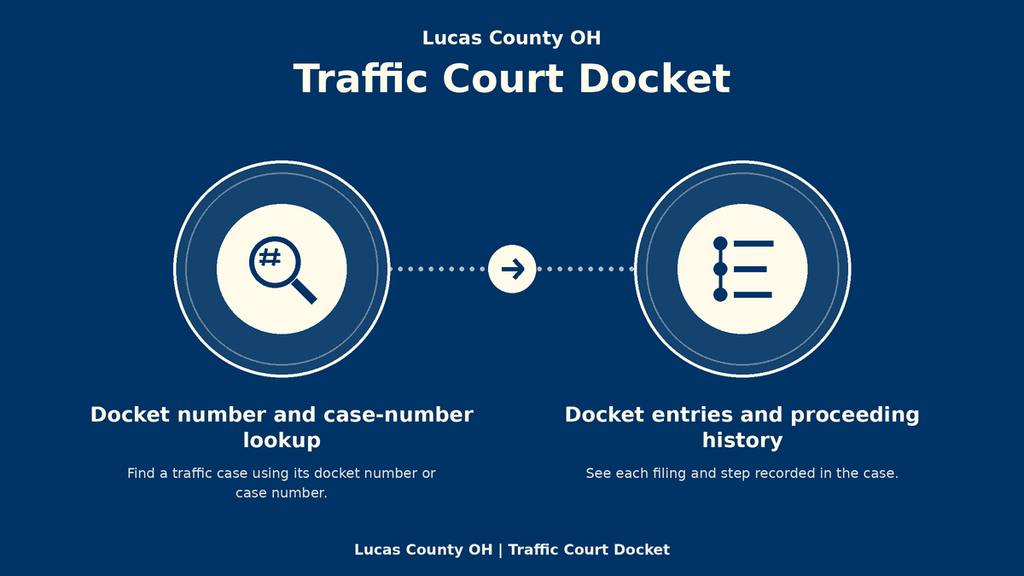
Docket number and case-number lookup
The court-assigned case number is the cleanest term for a case-number lookup. A traffic citation can carry a police or citation number that differs from the number created after the case was filed. Do not force a citation number into a field reserved for a court case number. If the service offers a separate citation search field, use it and compare the returned case with the court name. A notice received after filing may show both the ticket number and the court case number. That notice can supply the exact term needed for a search and can reveal which court received the case.
Scheduled hearings, hearing dates, and locations
A scheduled hearing entry shows that a date was listed for a future court event. Labels such as status conference, hearing, pretrial conference, or trial can point to different stages. A continuance or reset may create a later entry with a new date, so the earliest scheduled date may no longer control. A courtroom or hearing method appears only when the court has posted it. The docket listing should be checked again close to the hearing date because a late continuance can change the schedule.
Docket entries and proceeding history
Docket entries are short summaries created for the public docket. They can show that a motion was filed, a party appeared, a hearing occurred, or a judge entered an order. An entry does not necessarily contain the full motion, transcript, evidence, or written reason for the decision. A related document becomes available online only when the court and its docket service permit public viewing.
Traffic Court Proceedings
Traffic case dockets follow the steps recognized by the court. Field names and hearing labels vary, so the entries should be read as a record of what happened rather than as a substitute for the court file. Some courts use fewer labels than the table shows. Look for the entry date and the document title rather than relying on one exact label.
Distinguishing a scheduled event from a completed event
A hearing date is a plan until a later entry shows what occurred. A continuance entry may follow the original date, and a decision may appear days later. An order or judgment is stronger proof of a judicial result than a blank hearing line. When the public docket lacks detail, request the court-held document through the record process described below.
Traffic Court Documents
Document access depends on the filing, the court, and the features of the selected docket service. A docket may show a document title, a docket-only notation, or a file that can be viewed or downloaded. When a file link appears, compare the document title and case number before relying on it. A download may contain one document rather than the full case file.
Downloaded records and certified copies
Do not assume every visible entry has a download button. Some services provide metadata only, while others offer a print view or a separate file. Treat an ordinary printout or download as a copy of the public docket view. It is not a certified copy unless the court or Clerk of Courts confirms that certification.
A certified copy contains a formal court certification and may serve legal, administrative, or employment purposes. The public docket page does not state every certified-copy fee or delivery rule. Ask the Clerk which product is required, what it costs, how the request is made, and how the finished copy is delivered.
Transcripts, arrest reports, and other records
A hearing transcript is a separate written record prepared for the proceedings. A docket may list the hearing, court reporter, or transcript request without showing the full transcript. Transcript availability and pricing depend on the court and recording arrangement, so ask the Clerk for the current request process.
An arrest report, if one exists, is a police-agency record rather than a standard court docket document. The docket may note an arrest or initial appearance without showing the report itself. The court record can confirm a court event, but the full report belongs to the agency that created it.
Privacy, sealing, and redaction
Public dockets may omit sealed matters, hide part of a name, redact personal identifiers, or show a document title without the file. A request for a restricted item must follow the court’s official process and may require a form accessible through official court search databases and identification, fees, or a legal basis The online docket does not create an exception to those rules.
Traffic Court Case Dispositions
A disposition entry records the court’s stated result for a case or charge. The outcome may come from a plea, a trial, an order, or an administrative resolution. Read the full wording because short labels can omit conditions or leave later action pending.
Some dockets place the outcome inside a later order rather than a field labeled disposition. Search the latest entries and read any document associated with the judgment.
Fine amounts, payment status, and receipts
A fine amount appears only if the court has entered it in a visible order, judgment, or related docket line. The amount listed on a traffic citation may differ from the amount imposed after a plea or hearing. Use the amount in the judgment or court order as the recorded court amount.
A docket may not show a remaining balance or every payment transaction. A payment receipt or other official payment record can serve as proof of payment. Case status should be checked for accuracy, but a closed status alone is not a receipt and does not prove that a payment posted correctly.
Ohio driving points and misdemeanor convictions
Ohio BMV maintains driving-point records for qualifying traffic violations. A court docket can verify a reported conviction, but it may not show the current point total or whether points have posted to a BMV record. For a DMV points inquiry, use the official Ohio BMV driving-record process rather than estimating from the court docket.
A traffic misdemeanor conviction appears under the charge and case type shown in the court record. The docket can support a conviction verification, but a full criminal-history request may require a separate certified-copy process. Check the exact charge and final entry before using the result for an official request.
Traffic Court Record History
A complete case review follows the docket from the first filing through closure. The order of the entries can expose a continuance, a later judgment, or a document that changes how the case was resolved.
- Case filing: The first entries show when the court received the case and how it was labeled.
- Docket activity: Later entries record appearances, submissions, notices, and routine case events.
- Hearing history: Hearing entries show scheduled and completed events, including changes to the date or location.
- Judicial actions: Orders and judgments record the decisions made by the judge or magistrate.
- Disposition history: The closing entries state the result, payment terms, or conditions attached to the case.
- Case closure history: The final status shows when active court work ended. It does not remove the earlier entries.
Review entries in date order and save the pages tied to a hearing, plea, judgment, or payment deadline. A missing document between two entries can explain why the case status changed. If a key entry remains absent, request the court-held record rather than drawing a conclusion from the gap.
Traffic Court Record Availability
Public docket coverage changes with case status, court rules, archive practices, and the selected service. A current case, closed case, and archived file may be handled differently.
Online coverage is not the same as the complete court file. A missing document can reflect a restricted filing, an older archive, a service feature, or a posting gap.
Retention, closure, and record expiration
No single expiration date can be read from a traffic court docket. A closed case may remain searchable after its active work ends, while some older records move out of the current online index. Retention practices, sealing orders, court system changes, and archive policies can affect what remains available. Ask the Clerk about the retention category for a particular closed or archived case and the process for obtaining a court-held copy.
Traffic Court Record Updates
A docket is a running case record rather than a permanent snapshot. New filings, changed hearing dates, decisions, and corrections can appear as court staff post them.
- Newly filed cases: A newly filed case may take time to appear in an external case index. The court may have the filing before a search result does.
- New docket entries: A later entry can document an appearance, motion, hearing, or status change that was absent from an earlier view.
- Rescheduled hearings: A continuance or new order can replace the original date with a later one.
- Newly filed documents: A file may become viewable after its docket entry, subject to the court’s posting rules.
- Updated dispositions: A judgment, dismissal, deferred entry, or closure may clarify an earlier scheduled event.
- Corrected records: A court may add a correction entry, replace an earlier notation, or post a later order that explains the earlier text.
There is no fixed posting interval stated for these changes. Reopen the case before a hearing, plea, payment deadline, or required filing. Save any notice that appears only in the mail, since a later docket entry may not reproduce every instruction.
Recognizing corrected entries
Compare the entry date, wording, and linked document. A correction may appear as a separate entry rather than an edit to the original line. Court staff make docket corrections through court procedures; third-party search pages cannot change the official record.
Search Problems and Court Record Corrections
Most failed searches result from a wrong identifier, a different court, a recent posting, or a document that the public docket does not carry. Use the problem and response below before assuming the case does not exist.
Keep the case number, exact search term, and date of each failed search. Those details can help the Clerk trace the filing without repeating the same incomplete request.
Correction and record request procedure
A useful correction request identifies the court case number, the date of the disputed entry, the exact wording or data shown, and why it appears wrong. A copy of the notice, ticket, judgment, or other supporting paper can help the court compare the docket with its file. State the requested correction clearly and keep copies of everything submitted.
Use a request form linked by the court or ask the Clerk for the current official form. A form found on an unofficial site may use outdated case fields or omit current fees and delivery rules. The public docket does not state every record-retrieval fee, so ask for the current amount before paying. Certified copies, transcripts, archived records, and corrections can be separate products with separate requests.
Confirming an official result
The court-hosted docket and the Clerk of Courts are the official sources for court case records. A third-party summary may omit sealed matters, use delayed data, or compress different dispositions into one label. Use an official court copy for verification. Use Ohio BMV for driving-point records and the responsible police agency for an arrest report.
Contact Details
Contact the Clerk of Courts to identify the court that controls a case and ask about the current process for certified copies, archived files, transcripts, record requests, or corrections. Provide the case number, party names, and filing date when available to help locate the correct file. Ask about applicable fees, processing times, and identification requirements before submitting a request. For older or transferred cases, confirm whether the records are held by the clerk or another records office.
- Office: Clerk of Courts
- Address: 700 Adams Street, Toledo, OH 43604
- Phone: 419-213-4484
Frequently Asked Questions
Traffic court records give drivers clear insight into citations, hearing dates, fines, and points. Accessing these files helps you verify a ticket, plan a defense, or confirm that a fine was paid. Most counties, including Lucas County, host an online docket where you can search by name, case number, or citation date. Knowing how to retrieve and read these records saves time and prevents surprises on your driving record.
How can I search Lucas County traffic court records online?
Visit the Lucas County docket page, select “Traffic Court” from the court list, and enter the driver’s name or case number. The system returns a list of docket entries showing charges, hearing dates, outcomes, and any posted orders. Click a docket entry to view details such as fine amount and points assessed. Record the case number for future reference or to request a certified copy.
What information is included in a traffic court citation record?
A citation record lists the violation date, location, statute code, and the officer’s description. It also shows the fine amount, any court‑imposed fees, and the number of DMV points. If a hearing occurred, the record notes the judge’s decision and whether the citation was dismissed, reduced, or upheld. This data helps you confirm the exact charge and understand any impact on insurance.
Can I request a copy of my traffic court hearing transcript?
Yes. Contact the Lucas County Clerk of Courts at 700 Adams Street, Toledo, OH 43604, or call 419‑213‑4484. Submit a written request using the court’s record request form and include the case number, your name, and a brief reason for the request. A small fee covers copying and mailing. Expect delivery within 10‑14 business days.
How do I verify if a traffic court misdemeanor conviction appears on my driving record?
First, locate the docket entry for the case to see the final judgment. Then, use the Ohio DMV’s points inquiry tool, entering the driver’s license number. The system displays any points added from the conviction and the date they will expire. Cross‑checking both sources ensures the record is accurate before you dispute an error.
What steps should I take if a traffic court record contains an error?
Gather the docket entry and any supporting documents, such as the original citation or police report. Contact the clerk’s office with a written correction request, citing the specific mistake and attaching evidence. The court reviews the request and, if valid, updates the record. Follow up to obtain a corrected copy for your files.